Most permanent-light apps are glorified remotes. The features that separate a serious app from the rest, and how the major systems compare in 2026.
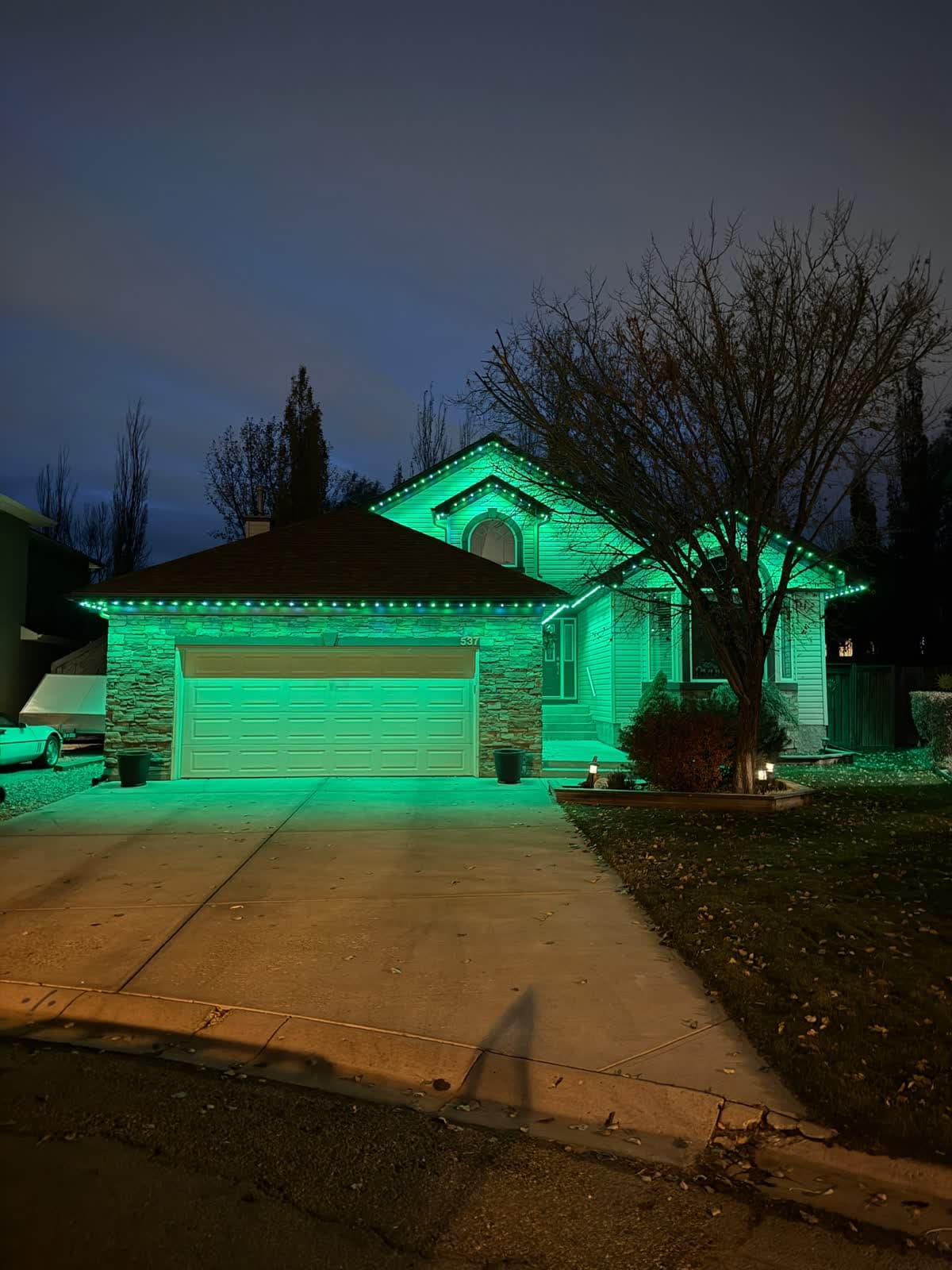 From our gallery
The hardware is only half of a permanent outdoor lighting system. The other half is the app you use every single night to turn the lights on, change a colour, or run a Halloween scene without thinking about it. By 2026, the gap between brands is no longer about who has the brightest LED. It is about who built software that does not frustrate you at 8pm on a Tuesday in December.
We install and maintain permanent lights for a living, which means we hear about app problems the way mechanics hear about transmission problems. This guide cuts through the marketing: what a great permanent-light app should actually do in 2026, the recurring failures across the category, and how the GOULY app we built solves them.
What a great permanent-light app should do in 2026
Five years ago, "smart" permanent lighting meant a phone app with twelve preset colours and a clunky timer. The bar is dramatically higher now. A modern permanent-light app should give you all of this without making you read a manual:
- A clean colour picker with the full RGBW spectrum (16+ million colours) and a usable warm white that does not read pink.
- Real schedules, including sunset/sunrise triggers, weekday vs weekend variants, and date-based events (Christmas Day, July 4th, Halloween).
- A large scene and pattern library with hundreds of pre-built designs ready to tap.
- Zone control so the front, sides, and back of the house can show different things at the same time.
- Music sync that actually keeps time, not the jittery half-second-behind feel of cheap apps.
- Stable Bluetooth and Wi-Fi handoff so the app works at the porch and from the airport.
- Voice control through Alexa and Google Home, with Apple Home / Matter on the roadmap.
- Share access so a spouse, kid, or property manager can run the system without your password.
- Multi-property support for cabins, rentals, and second homes.
- Offline behaviour that does not panic when the Wi-Fi drops. Local Bluetooth fallback is the bar.
- Reliability measured by how often the app simply opens and just works.
That last one is the quiet differentiator. The best app in the world is useless if it crashes when you hand the phone to a guest.
The criteria buyers actually shop on
When we talk to homeowners after a year or two with their lights, the questions cluster into the same seven categories. These are the dimensions worth scoring any permanent-light app against:
- UI and ease of use — can a non-technical adult run it?
- Scenes and pattern library — what is included out of the box?
- Scheduling and automation — sunset triggers, calendar events, recurring rules.
- Reliability and offline mode — does it stay connected, and what happens when it does not?
- Voice and smart-home integration — Alexa, Google Home, Apple Home / Matter.
- Multi-property and share access — useful for landlords, cabin owners, and families.
- Honesty of the company behind it — public roadmap, real support, no ghost-town App Store reviews.
Weight reliability and UI the heaviest. Those two are what determine whether you actually use the system or just leave it on white forever.
Where most permanent-light apps fall short
Across the category — and we have installed and serviced enough systems to see the pattern — the same problems keep showing up:
- App crashes after Wi-Fi blips. Router reboots, power flickers, or kid-unplugs-the-modem moments leave the lights stuck on whatever they were doing. Most apps cannot reach the controller again without a manual reconnect.
- No real offline mode. Cloud-only apps are useless during an outage. Even local Wi-Fi apps fail when the router is down.
- Confusing scheduling UI. Most apps make sunset triggers and calendar events three taps deeper than they should be. New owners give up and run lights on a single timer they set once.
- One person owns the system. Whoever paired the app owns the lights. Spouses, kids, and property managers either share a password (security mess) or stand outside in the cold while one person finds their phone.
- Pattern libraries are shallow. Twenty to fifty presets is typical. After the first month, owners cycle through the same five and the system feels stale.
- Shaky smart-home integration. Alexa actions break with every app update. Apple Home / Matter is "coming soon" everywhere.
- No multi-property support. If you own a cabin or a rental, you log in and out of accounts to switch between them.
- Subscription creep. Some brands have started gating advanced scenes, multi-property, or scheduling features behind paid tiers.
If you are evaluating a system, ask the installer to demo each of these. The answers separate a serious app from a glorified remote.
How GOULY compares to what we typically service
We install GOULY and have serviced enough competitor systems to write down what the category baseline tends to be. The right column is the system we install. The left column is the pattern we have seen on the most common competitor setups in our service area — verify any specific brand on your own quote.
| Feature | Many Competitors | GOULY Gen 3 |
|---|---|---|
| UI / ease | Cluttered, multi-step menus | ✓One-tap scenes, big buttons, runnable without a tutorial |
| Scene library | 20 to 100 presets | ✓1,000+ pre-built scenes |
| Scheduling | Basic on/off timers | ✓Sunset/sunrise, weekday vs weekend, calendar events |
| Reliability | Drops after a Wi-Fi blip | ✓Bluetooth + Wi-Fi dual control, auto-recovers |
| Offline mode | Cloud-only, dies in an outage | ✓Local Bluetooth fallback, works during outages |
| Share access | Password sharing or nothing | ✓Per-user accounts, no password reveal |
| Multi-property | Single home only | ✓Cabins, rentals, and primary residence on one login |
| Voice integration | Alexa-only, breaks on updates | ✓Alexa and Google Home today, Apple Home / Matter on roadmap |
| Warm white | Mixed from RGB (reads pink) | ✓Dedicated warm-white diode per puck |
| Subscription | Free app, paid feature tiers | ✓$0 forever, every feature unlocked |
| Support | Email queue with no SLA | ✓Local install team you can phone |
1,000+
Pre-built scenes ready to tap
$0/mo
No subscriptions, ever
2 networks
Wi-Fi + Bluetooth dual control with auto-failover
Why we install GOULY
We are an installer first. We have hung other companies' systems and serviced them for years, and the same three patterns showed up on almost every brand:
- Customers do not use the advanced features because the UI is intimidating. People with a $5,000 system end up using one solid colour because the scene picker is buried.
- Wi-Fi blips kill nights. Power flicker, router reboot, kid unplugs the modem — and the lights stay off because the app cannot reach the controller. People give up and stop touching the system.
- Sharing is a mess. Whoever set up the app owns the system. Spouses cannot turn the lights on because they never made an account.
GOULY built the app to solve those three things by default, not as paid add-ons or future roadmap items. The app ships free for the life of the system, every feature is unlocked on install day, and there is no premium tier. That is why we install GOULY instead of the other systems we have run in the past.
If you want the longer story on the hardware side, see our GOULY ecosystem guide and the Gen 3 system overview. For why the cUL-certified control box matters as much as the app does, read why uncertified gear fails inspection.
What separates a serious app from a glorified remote
If you are about to commit several thousand dollars on a permanent lighting system, install the app before you sign anything. Use this checklist during the demo:
- Can you build a custom scene from scratch in under 60 seconds?
- Does sunset scheduling exist as a one-tap toggle, or is it buried?
- Pull the router plug — does the app keep working over Bluetooth?
- Hand the phone to someone who has never seen the app. Can they turn the lights on?
- Add a second "property" (cabin, rental). Does the app handle it without re-logging in?
- Ask for the subscription price for features beyond the basics. The answer should be zero.
If two or more of those answers are bad, the system is going to frustrate you every winter, no matter how good the LEDs are.
FAQ
What should I look for in a permanent-light app in 2026?
Reliability and UI first, then scene library and scheduling depth. The app you tap every night matters more than the marketing copy on the box. If the demo app crashes or feels confusing in 60 seconds, the system will frustrate you for the next 15 years.
Do any permanent-light apps work without Wi-Fi?
The GOULY app falls back to Bluetooth automatically when Wi-Fi is unavailable, so you can still control lights from inside or beside the house during an outage. Most major systems are cloud-dependent and stop responding the moment the router goes down.
Can I run permanent lights with Alexa, Google Home, or Apple Home?
GOULY works with Alexa and Google Home today. Apple Home / Matter support is on our roadmap. Most pro-install brands are in a similar state — Matter is still rolling out across the category.
What is the easiest permanent-light app for non-technical users?
GOULY is built around one-tap scenes for non-technical users. The colour picker, schedule, and share access are designed so that a spouse, kid, or guest can run the lights without coaching. That was the single design goal we obsessed over.
How much does the permanent-light app itself cost?
Nothing. The GOULY app is free for the life of the system, every feature is unlocked on day one, and there is no premium tier. Be skeptical of any brand that wants a monthly fee for basic functionality.
Can multiple family members use the same app?
Yes. GOULY supports per-user accounts so a spouse, child, or property manager can run the lights on their own login without you sharing your password. Most other brands require everyone to log in with the original account, which is both a security and a convenience problem.
Bottom line
If you are buying a permanent lighting system in 2026, do not let the brochure sell you on hardware alone. Install the app, watch a 60-second walkthrough, and ask yourself: would I actually use this every night?
If you are in our service area in Calgary or Lake Charles and want to see the GOULY app on your phone before committing, get a free quote — a team member will view your home virtually, demo the app, and deliver a clear, honest quote. No pressure, no surprises. To see what existing GOULY owners think, read the GOULY lights reviews page — every review is public and verifiable.
The hardware lasts 15 years. The app is what you touch every single night. Choose accordingly.
Frequently asked questions
There is no single winner. For app polish, Jellyfish and GOULY lead. For deep scheduling, Gemstone and EverLights. For smart-home integration, Govee. For warranty, Trimlight (lifetime). For multi-property and offline reliability, GOULY. Pick based on what matters most to you.
The GOULY app falls back to Bluetooth automatically when Wi-Fi is unavailable, so you can still control lights from the porch during an outage. Most other major brands require Wi-Fi to use the app, though scheduling usually continues on the controller itself during a brief network drop.
Alexa and Google Home work with every major brand reviewed here. Apple Home and Matter support is currently strongest on Govee, in development for several pro brands including GOULY, and weakest on Trimlight as of 2026.
Reputable systems do not charge for the app. GOULY, Jellyfish, Trimlight, Gemstone, Oelo, EverLights, and Govee are all free after the one-time hardware purchase. Be skeptical of any brand that wants a monthly subscription for basic features.
GOULY and Jellyfish are the two apps a non-technical adult can pick up without coaching. One-tap scenes, large buttons, and share access without password sharing are the features that get them there.
GOULY supports share access so additional people can run the lights from their own account without sharing your password. Most other brands require everyone to use the original login, which is both a security and a convenience problem.
Questions before you book?
Visit our FAQ page
Get quick answers on Gen 3 Lighting, pricing, install timelines, app setup, warranty, and what to expect on install day.